A mind-mapping app where files stay on the machine
Cartocortex is a desktop app for mapping ideas, in the spirit of XMind. It runs without an account or a server, and reads and writes the common formats. It is under development.
Under development
Version 0.1.2 released on 17 October 2026, with installers for macOS, Windows and Linux. The app remains under development: features, shortcuts and the save format may still change. The figures on this page were taken on 17 October 2026 on this version, by running the repository's test suite.
The home lab rule, applied to a mind map: data stays at home
A mind map often holds what an organisation writes down nowhere else: a strategy in progress, a target org chart, a migration plan. Cartocortex keeps these maps in files the user chooses, on the user's own machine.
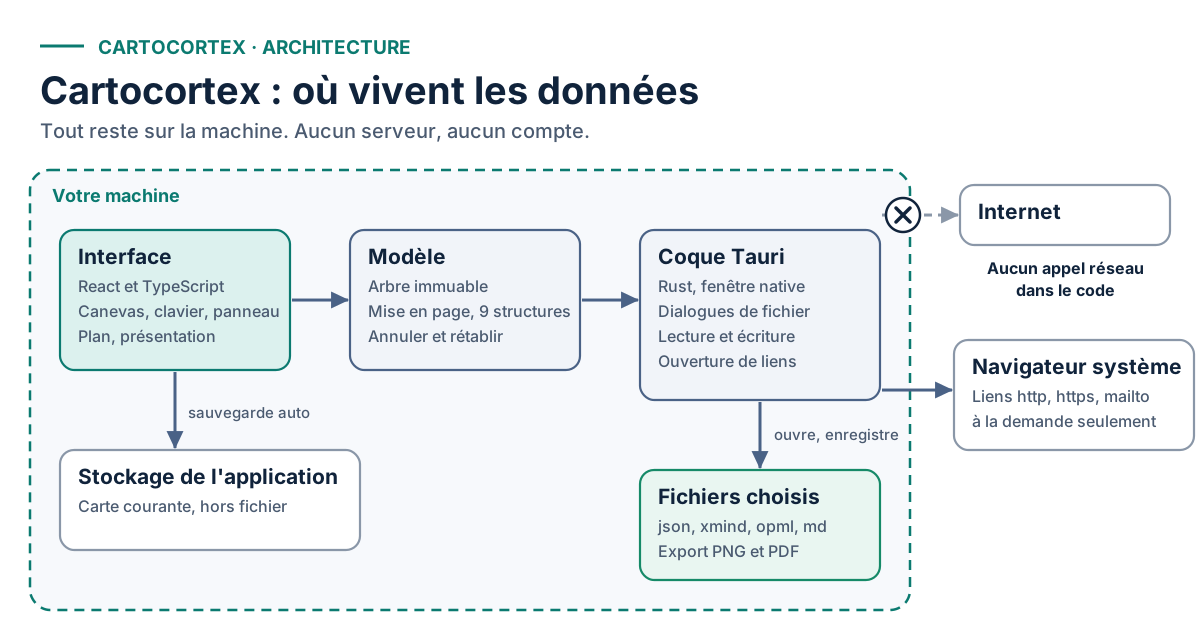
The code contains no network call. Only links placed inside a map can leave, towards the system browser, and only on demand.
Cartocortex is a Complexus Lab project. Thierry Sayegh-Sauvage is one of the founders of Complexus Lab, an independent lab exploring artificial intelligence, collective intelligence, complexity and formal methods: how humans and machines think, decide and make sense together. Visit the Complexus Lab site.
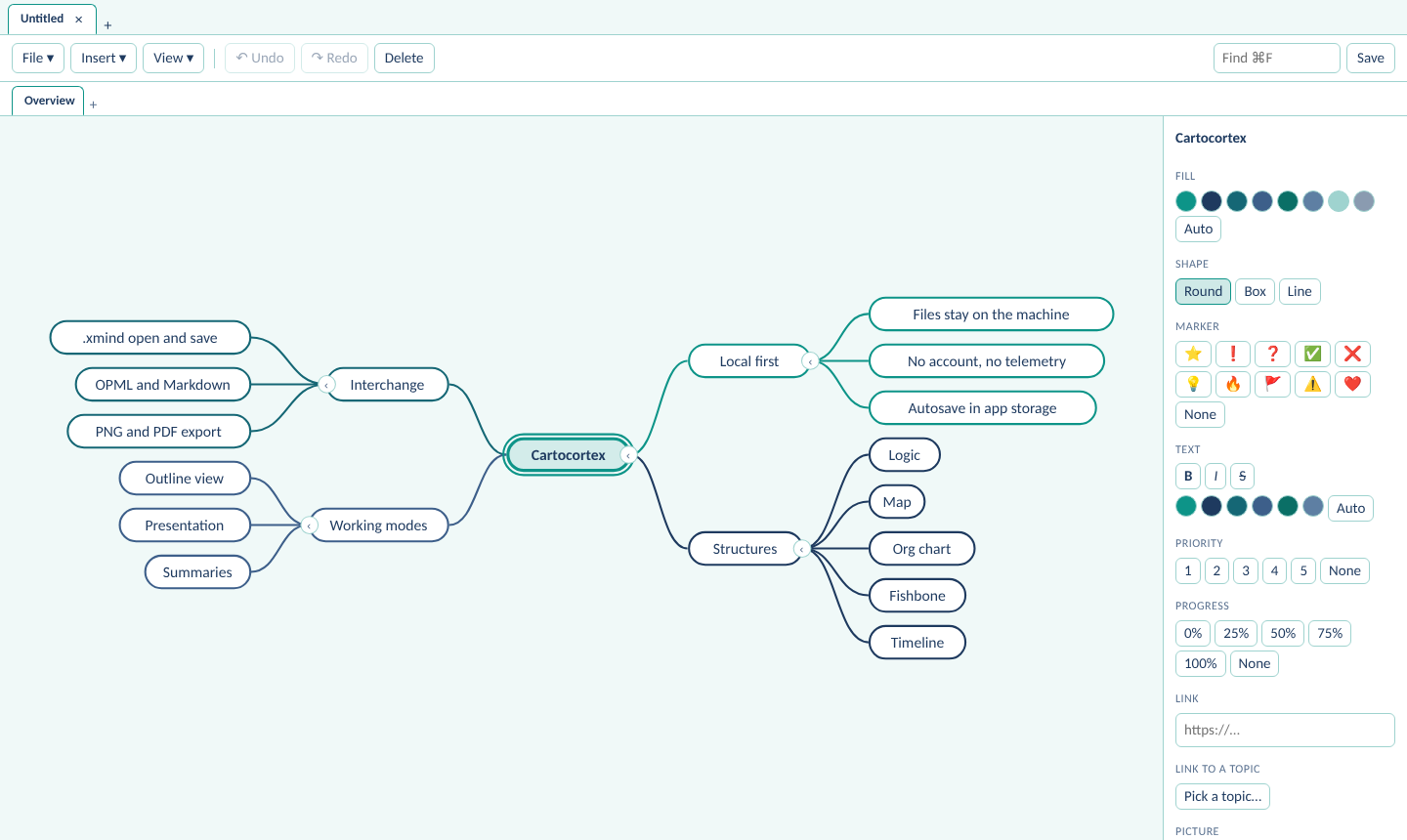
A map, a toolbar, an inspector panel
Three layers on the machine, none towards the Internet
The interface, the data model and the native shell. The diagram shows what touches the disk and what leaves the machine.
Four families of features
Nine structures
Logic chart to the right or left, two-sided map, org chart, tree, fishbone, timeline, brace and matrix. Arrow keys follow the active structure.
Editing
Keyboard first: child, sibling, movement, undo and redo. One map per tab, several sheets per map, multi-select, floating topics, relationships, boundaries, summaries, priority and progress markers, rich text, pictures on topics, a custom theme, eight starter templates.
Format exchange
Open and save as .xmind, open older XMind 8 files, read OPML and Markdown. Cartocortex's own JSON keeps everything.
Outputs
PNG and PDF export, outline as Markdown or OPML, an Outline view for typing as a list, and a presentation mode that reveals one branch at a time.
Four rules, each checkable in the repository
“An opened file is never overwritten by an impoverished copy.”
Import is separate from open. Only Cartocortex's own JSON keeps its location. An .xmind, OPML or Markdown file opens as an import, and saving asks for a new file.
Filtered links. Only http, https and mailto open. javascript: and file: links are refused.
Strict XML reader. An XML file that declares a DOCTYPE is refused.
Content security policy. The native window runs under a strict policy: scripts from the app only, no network connection beyond Tauri's internal bridge. Inline styles remain allowed, because topic colours are applied as style attributes.
What the test suite establishes
Taken on 17 October 2026 at commit c3ddc14 (version 0.1.2), by running npm test. Code coverage is not measured.
A project in progress, with its gaps
It serves its author first. No stable version is announced.
- Version 0.1.2, under development. Features and the save format may change without notice.
- Installers are published for macOS (Apple silicon and Intel), Windows and Linux. None is signed by an identified developer. On macOS, right-click then Open on first launch; if the system reports the app as damaged, a Terminal command described in the release clears the block. Windows SmartScreen may warn on first launch.
- XMind compatibility has not been checked against a file saved by XMind itself. When older XMind 8 files are imported, styles, relationships and markers other than priority and progress are lost.
- The exported PDF is an image of the map: its text cannot be selected.
- No synchronisation or collaboration: one file, one machine, one user.
- The test suite covers the model and the file formats. The interface itself has no automated test.
- Pictures are stored inside the map file. The app's automatic save is limited to a few megabytes, which caps the number of pictures in a map.
- Only the macOS build has been smoke-tested. The Windows and Linux builds have not been tested.
- The .xmind export drops pictures and some styling.
- Known issue: a file stored in iCloud Drive may fail to open if macOS denies the app access. The workaround is to copy the file to the Desktop or to check the Files and Folders permissions.
Run the app from source
Node 22 and a Rust toolchain are required.
git clone https://github.com/complexus-lab/cartocortex
cd cartocortex
npm install
npm run tauri dev
npm test
A governance claim is verifiable, or it is worth nothing
The code of each link is public. To discuss this work, write to the author.